This is an old revision of the document!
M2000
How do I install Windows Media Center on the M2000?
Before installation of Windows MCE, please:
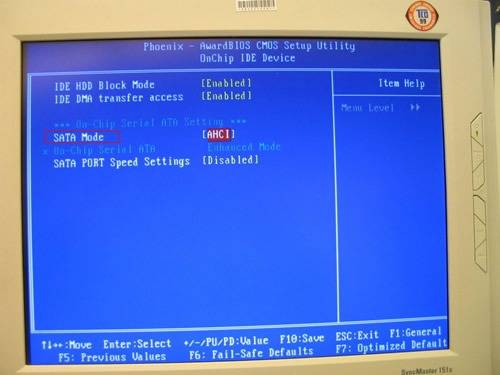
- check the SATA mode function in the BIOS. If there is no such function, please update your BIOS according to the Shuttle website.
- download the chipset driver from the Shuttle website.
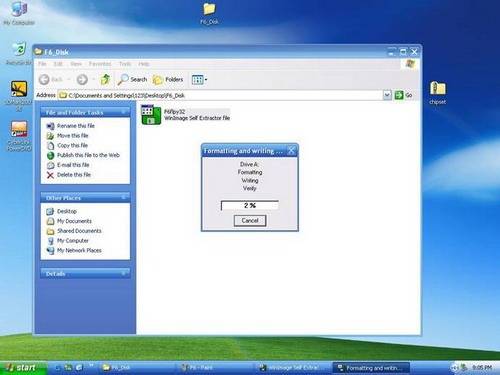
- extract the F6 Disk Driver of the chipset driver after downloading it from the Shuttle website. Enter the F6_Disk folder and doubleclick
F6flpy32.exeto make a “F6 install driver” as blank floppy disk.
- Prepare a USB pen drive to install the AHCI Driver on the M2000.
Start to install Windows MCE:
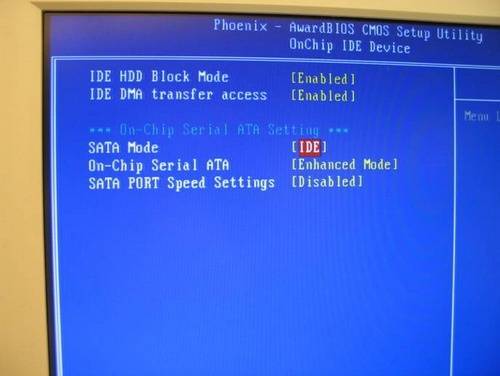
- Go to BIOS setup page and change the SATA Mode from
AHCItoIDEIntegrated Peripherals
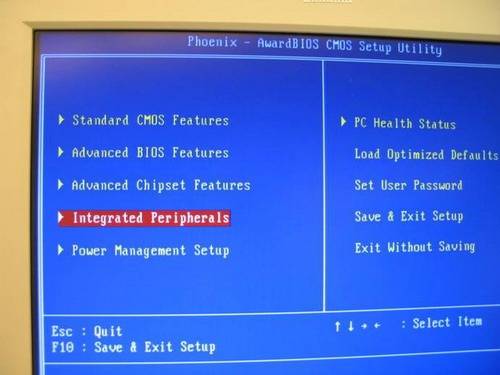
- Into
OnChip IDE Device
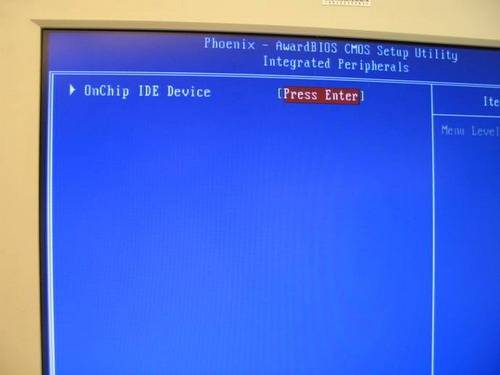
- Change to
IDEmode.
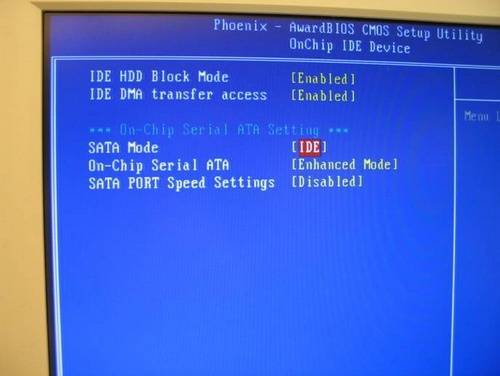
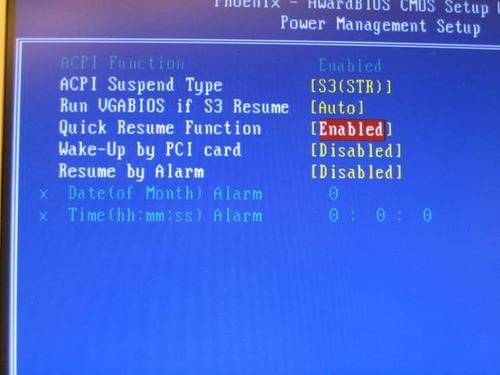
- Go to BIOS setup page and change Quick Resume Function from
EnabletoDisable.Power Management Setup
- Change function to
Disable.
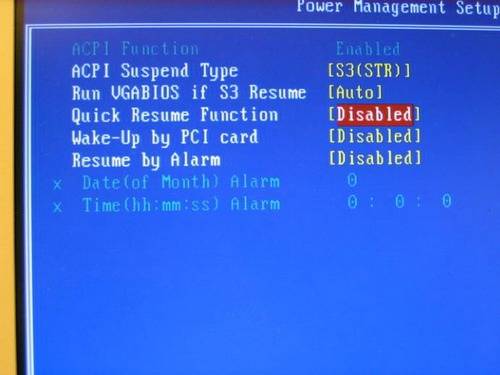
- Install Windows MCE from CD, and Do not press
F6function key when RAID setup message string come up. - When Windows install complete, please install chipset driver. And reboot the system.
- Manually to install F6 Disk Driver from the FDD disk.
- After install chipset driver, enter
IDE ATA/ATAPI Controllersin Device Manager, it should be show atIntel 82801GBM/GHM (ICH7 Family) Serial ATA Storage Controller – 27C4.
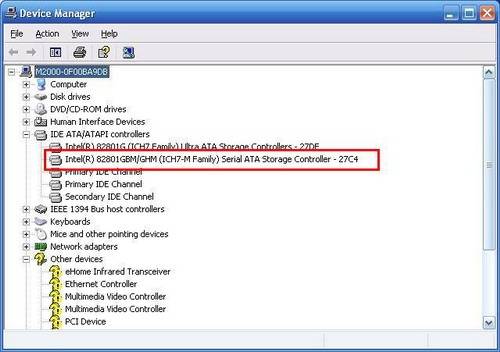
- First, remember to plug in USB FDD with Floppy Disk which contain F6 Disk Driver. Right click the
Intel 82801GBM/GHM (ICH7 Family) Serial ATA Storage Controller – 27C4, selectupdate driverand not connect to Windows Update to search for software.
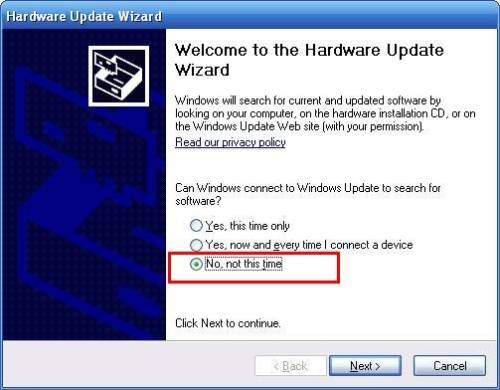
- Select
install from a list or specific location [Advanced]
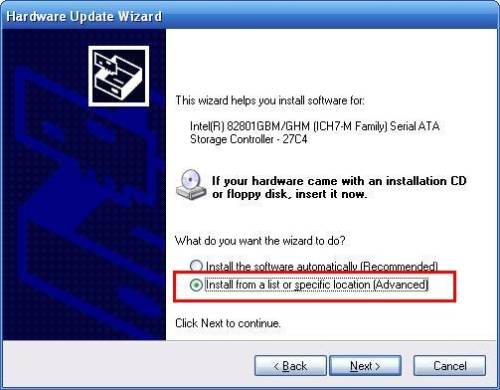
- Select
Don’t search. I will choose the driver to install
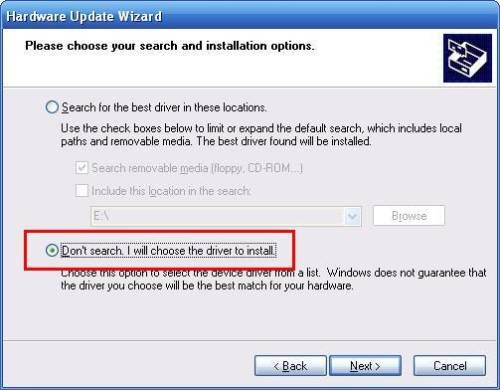
- Click
Have disk
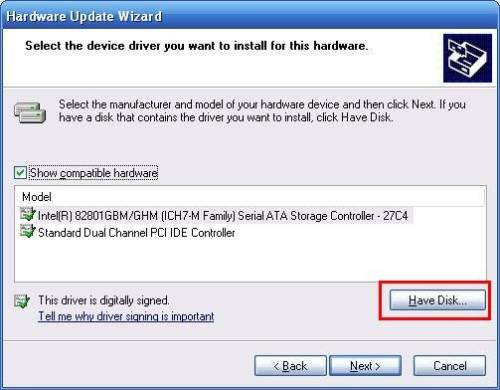
- Click
OKto load AHCI Driver from the FDD
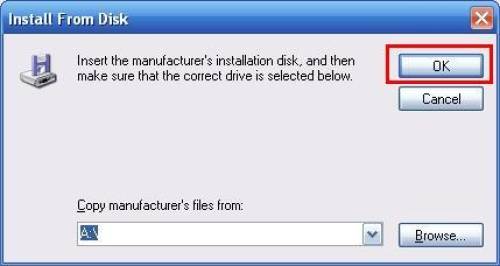
- Finally select
Intel 82801GBM SATA AHCI Controllerfrom USD FDD to drive AHCI.
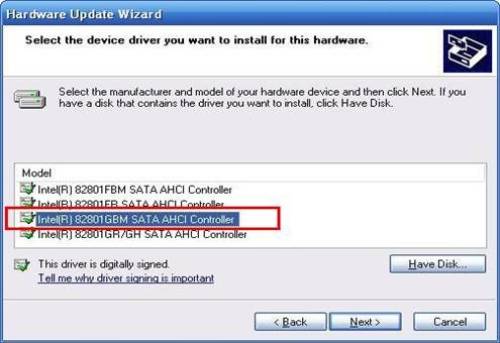
- After install complete then restart the system.
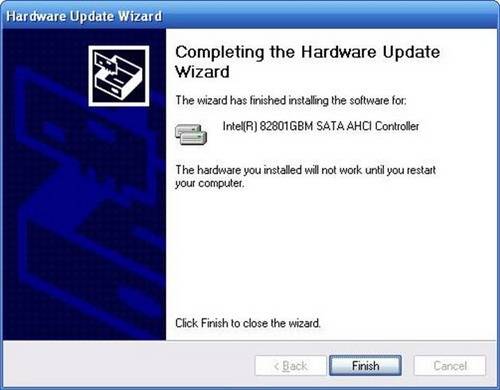
- Go to BIOS setup page, change SATA Mode from
IDE modetoAHCI Mode.
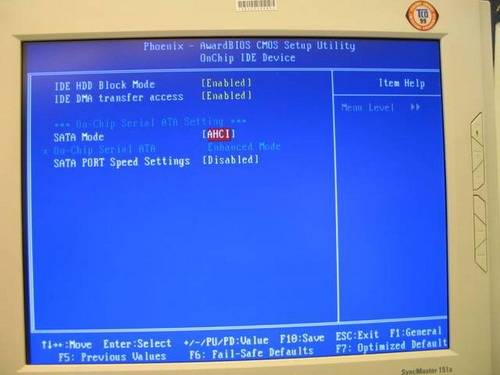
- Go to BIOS setup page, change Quick Resume Function from
DisabletoEnable.
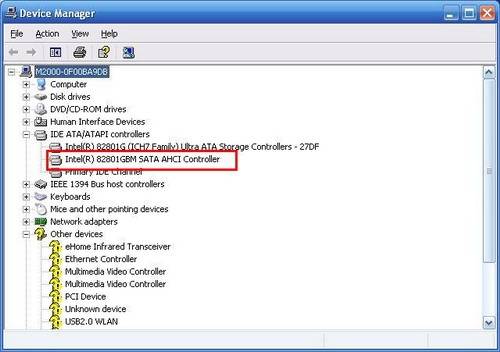
- Enter to Device Manager and select the
IDE ATA/ATAPI Controllers, Check it. It will shows atIntel 82801GBM SATA AHCI Controller.
- Congratulations! You can install other driver to use M2000 with Windows MCE.