This is an old revision of the document!
X100
How to solve "No screen with DVI connection on some large size LCD"?
Update the VBIOS to the latest version (VBIOS BR22734), please follow the steps below :
- Please refer to this link to download the latest VBIOS BR22734.
- Uncompress the
BR22734.zipin the bootable USB flash disk . - After boot up from USB flash disk, run
Fto update the VBIOS. - Reboot and check if the VBIOS updated correct.
- Go to the →
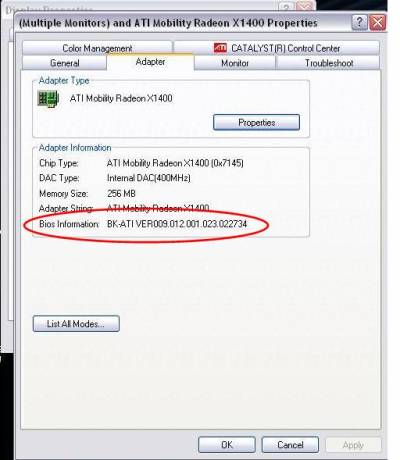
Display Properties→Settings→Advanced→Adapterto verify the version.
Please refer to the picture below to check.
How to use SPDIF out in X100?
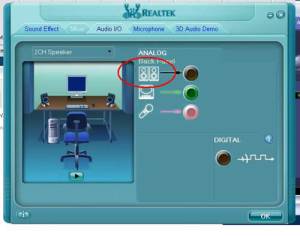
- Go to Realtek audio setting and click on icon to active setting.
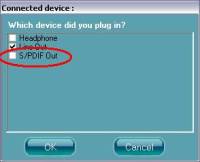
- Select S/PDIF Out then press OK.
How to add more widesceen resolutions & screen rotate function?
Please refer to the link below to Download the latest VGA Driver and install it.
http://download.shuttle.eu/Archive_2004/Drivers/new/x100/